
🔬 How this guide was researched
I host WordPress sites on SiteGround and Hostinger, so those two reviews draw on my own experience with their dashboards, support and renewal pricing. Kinsta, WP Engine, Bluehost and DreamHost were compared using their published plans, renewal prices, documentation and verified user reviews. Speed figures are indicative and will vary by site. Prices were last checked in May 2026.
⚠️ Renewal price warning — read this first
WordPress hosting intro prices look cheap because they are loss leaders. Renewal prices are 3–6× higher. We show both below. Always calculate the renewal cost before signing up — the cheapest host today may be the most expensive after year one.
01 Hostinger — Best overall WordPress hosting (Alex’s pick)
Hostinger is the standout budget WordPress host in 2026. Its Business plan at $2.99/mo intro includes 100GB NVMe storage, free domain, daily backups, LiteSpeed caching, and a free CDN — more value than most competitors at twice the price. The critical differentiator is renewal: Hostinger renews at ~$8.99/mo while SiteGround and Bluehost renew at $17–20/mo. For small businesses where every dollar matters, Hostinger's ongoing cost is roughly half its nearest quality competitor.
- Lowest renewal price on this list
- 100GB NVMe storage on Business plan
- Free domain + SSL + CDN + daily backups
- LiteSpeed servers — fast for the price
- Easy WordPress installer
- Support slower than SiteGround
- No Canadian data centre
- Aggressive upsells at checkout
- No phone support
Kit SEO and Alex’s other WordPress sites started on SiteGround. Once traffic picked up, pages began loading slowly and at times would not load at all. After moving to Hostinger, the sites have stayed fast — Hostinger’s built-in AI and LiteSpeed caching tools handle much of the speed tuning automatically. This is one person’s experience on shared hosting plans, so results on your own site may differ.
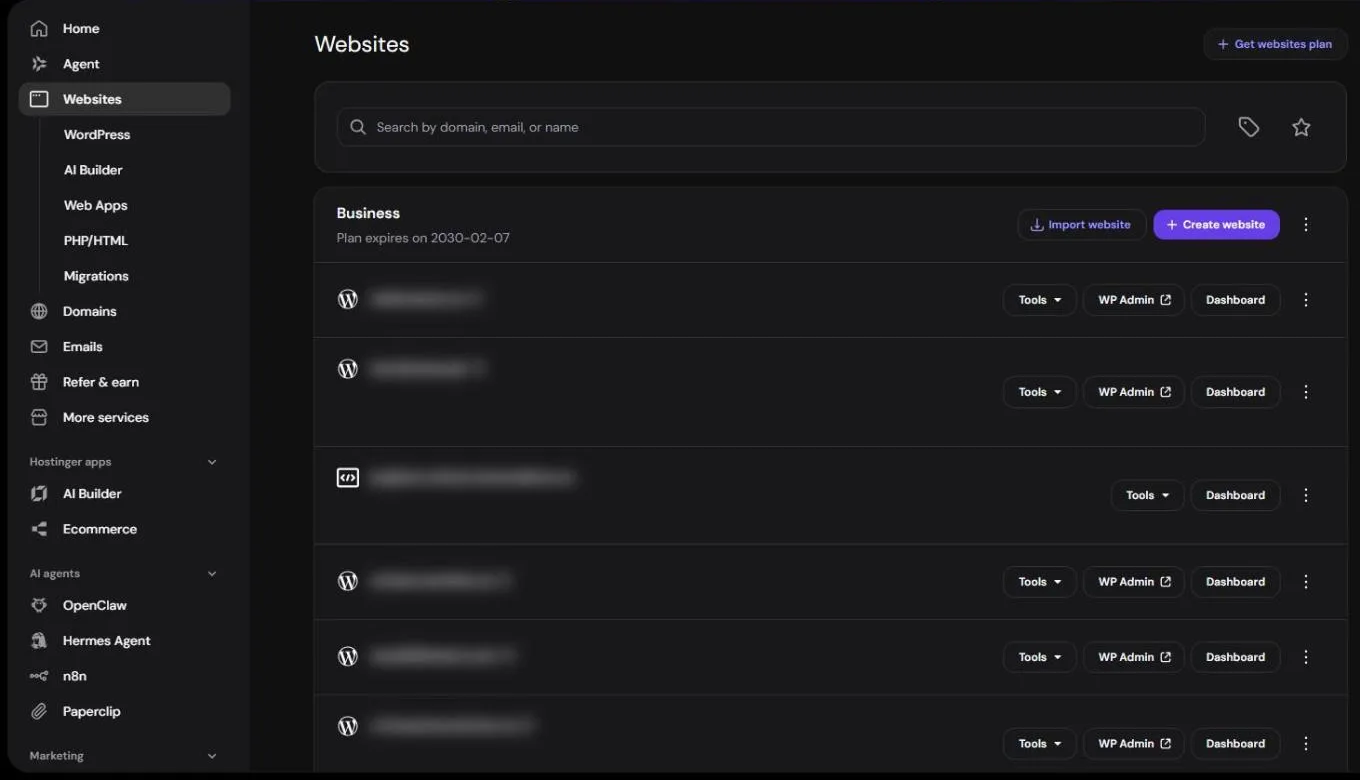
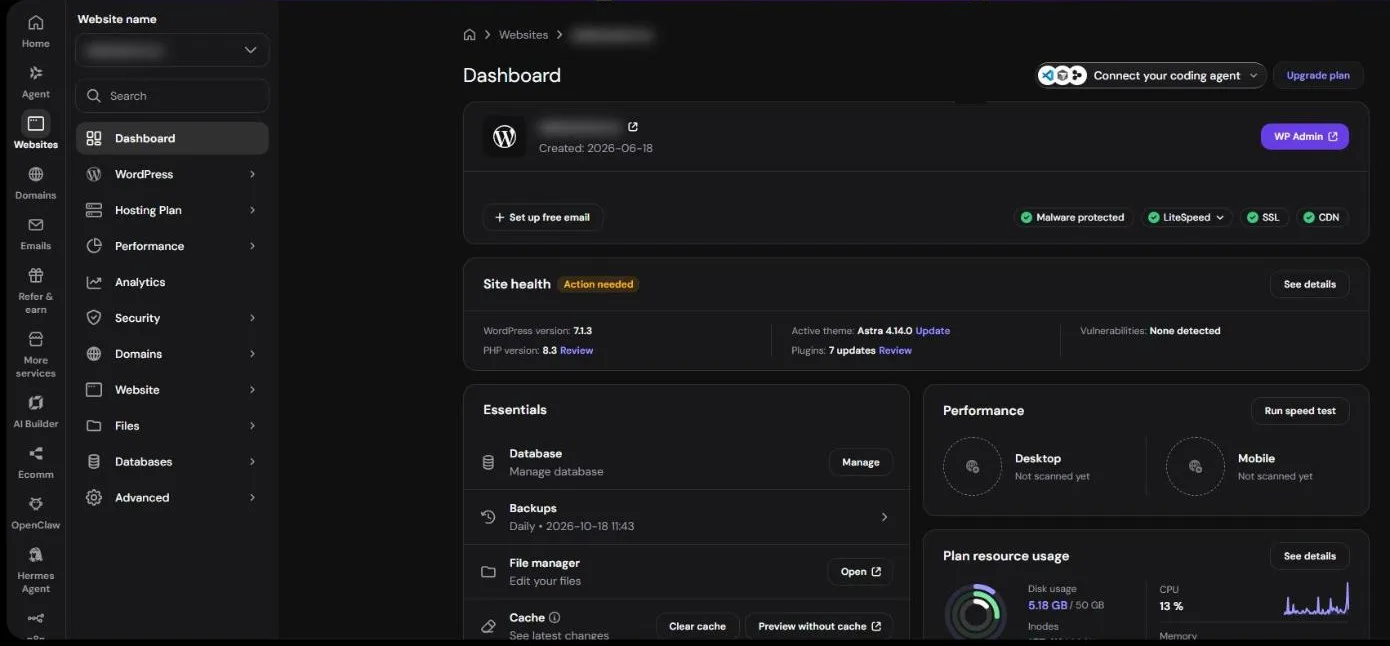
Our budget WordPress pick, and a host Alex has run real WordPress sites on. A good-value starting point for a small business site, with WordPress managed for you.
Get 20% off Hostinger WordPress hosting →The 20% discount applies to your first Hostinger purchase. Kit SEO earns a commission if you buy through this link, at no extra cost to you.
02 SiteGround — Best support for WordPress
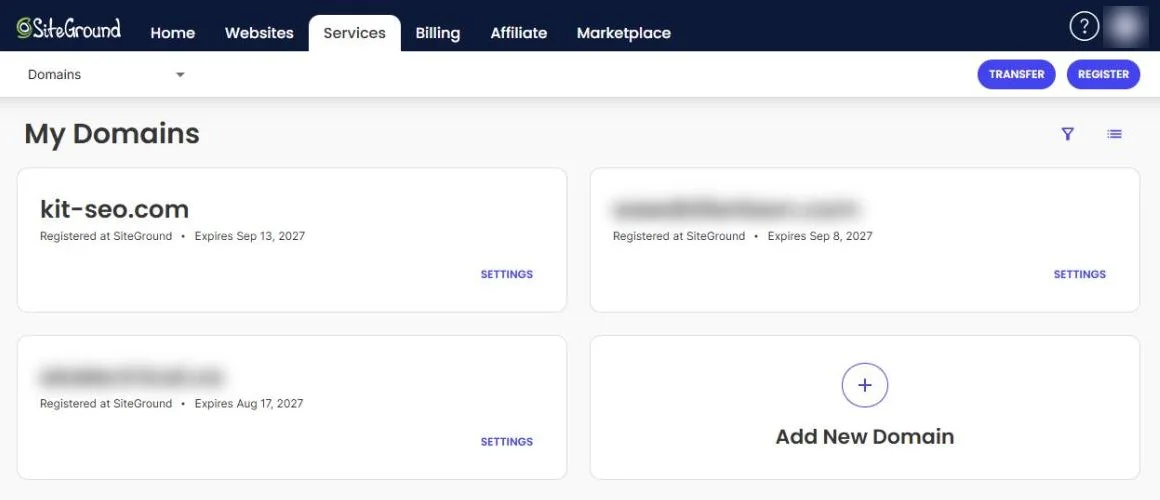
SiteGround is the WordPress host to choose if support matters most. It runs on Google Cloud, includes a custom WordPress caching plugin (SG Optimizer), free CDN, daily backups, and free SSL. Its support is consistently well reviewed by customers. The only catch is renewal pricing — intro rates are low but renew significantly higher. In Alex’s experience, sites on SiteGround slowed down as traffic grew, which is why Kit SEO moved to Hostinger — but many customers report strong performance, and its support is among the best in shared hosting.
- Best WordPress support of any shared host
- Google Cloud infrastructure
- Free CDN, SSL, and daily backups
- SG Optimizer caching plugin — fast out of the box
- Free WordPress migration
- Staging environment on GrowBig+
- Renewal price significantly higher than intro
- No Canadian data centre (CDN covers Canada)
- Storage limits relatively low vs competitors
- No free domain on any plan
03 Kinsta — Best performance WordPress hosting
Kinsta runs on Google Cloud's C2 machines and has a Montreal data centre, which suits sites with Canadian visitors. Every plan includes staging, daily automated backups, free SSL, a Cloudflare CDN, and a 99.9% uptime SLA with financial credits. Kinsta does not use introductory pricing — you pay the same rate from day one, which is refreshingly honest compared to competitors. Critically for Canadian businesses, Kinsta has a Montreal data centre giving significantly lower latency for Canadian visitors.
- Google Cloud C2 infrastructure
- Montreal data centre — best for Canadian sites
- No renewal price hikes — transparent pricing
- 99.9% uptime SLA with financial credits
- Staging on all plans
- Most expensive on this list
- Visitor and bandwidth limits per plan
- No email hosting included
- WordPress only
04 WP Engine — Best managed WordPress hosting
WP Engine is the gold standard managed WordPress host — every plan includes daily backups, automatic WordPress core and plugin updates, a staging environment, a built-in CDN (Cloudflare Enterprise), and 24/7 access to WordPress-specific support experts. WP Engine is the right choice for established business websites where downtime costs revenue, performance affects conversions, and you want a team of WordPress experts handling security and updates automatically. The price is significantly higher than shared hosting but justified for mission-critical sites.
- Automatic WordPress core + plugin updates
- Staging environment on all plans
- Daily backups with 1-click restore
- Cloudflare Enterprise CDN included
- 24/7 WordPress-specific expert support
- Most expensive for entry tier
- WordPress only
- Some plugins blocked for security
- Monthly visitor limits per plan
05 Bluehost — Best for WordPress beginners
Bluehost is officially recommended by WordPress.org and offers the most beginner-friendly WordPress setup on this list. From signup to a live WordPress site takes under 15 minutes. The Basic plan includes a free domain for the first year, free SSL, and a one-click WordPress installer. Performance is adequate for most small business sites. The main downside is the renewal price jump — from $2.95/mo intro to $19.99/mo renewal — one of the steepest increases on this list. Bluehost is a solid starting point but consider switching to SiteGround or Hostinger at renewal time.
- Officially recommended by WordPress.org
- Best beginner onboarding experience
- Free domain for first year
- Phone support available
- 30-day money-back guarantee
- Steepest renewal price increase on this list
- Aggressive checkout upsells
- No Canadian data centre
06 DreamHost — Best month-to-month, no lock-in
DreamHost is unique on this list for offering genuine month-to-month WordPress hosting without requiring a 1–3 year commitment. Most hosts lock you into an annual contract to get low pricing — DreamHost's shared plan starts at $7.99/mo on a monthly basis. It's also independently owned (not part of a hosting conglomerate), recommended by WordPress.org, and offers the longest money-back guarantee in the industry at 97 days. A solid choice for businesses that want flexibility or aren't ready to commit to a multi-year contract.
- Month-to-month option — no annual lock-in
- 97-day money-back guarantee (industry best)
- Recommended by WordPress.org
- Independently owned
- Unlimited bandwidth and storage
- No phone support (chat and email only)
- Monthly pricing higher than annual alternatives
- No Canadian data centre
07 Renewal price comparison — the truth about WordPress hosting costs
⚠️ Intro vs renewal price — all 6 hosts
08 Hosting infrastructure comparison
Real-world speed depends on your theme, plugins, caching and where your visitors are, so we don't publish speed scores we haven't measured ourselves. Here is what each host runs on instead. To compare hosts, put a test site on each and check it with Google PageSpeed Insights.
| Host | Server tech | Canadian DC | Free CDN | Staging |
|---|---|---|---|---|
| Kinsta | Google Cloud C2 | ✓ Montreal | ✓ | ✓ |
| WP Engine | AWS / GCP | CDN only | ✓ | ✓ |
| SiteGround | Google Cloud | CDN only | ✓ | ✓ GrowBig+ |
| Hostinger | LiteSpeed NVMe | ✗ | ✓ | Premium+ |
| DreamHost | Nginx | ✗ | Paid | DreamPress |
| Bluehost | Apache | ✗ | ✓ | Choice+ |
💡 Why hosting speed matters for SEO
Page speed is part of how Google judges page experience, and your host sets the floor for how fast your server responds. Caching, image sizes and your theme usually matter as much as the host.
09 How to choose WordPress hosting
Best WordPress hosting for Canadian businesses 2026
For Canadian businesses, hosting location matters — a server in Montreal or Toronto delivers significantly lower, which directly improves Core Web Vitals scores and Google rankings for Canadian searches.
How we review software — and why you can trust this guide
Kit SEO is a small, independent site. Here is exactly how this page was put together.
🔍 What we look at
- Real cost — intro and renewal prices, per-user fees
- Features small businesses actually use
- Ease of setup and day-to-day use
- Canada support — CAD billing, GST/HST, local compliance
- Support quality and what verified users say on G2, Capterra and Trustpilot
🧪 Hands-on vs researched
At the top of this guide we state exactly which tools Alex has used personally. Everything else is researched from the vendor’s own pricing pages and documentation, plus verified user reviews. We never claim to have tested something we haven’t.
🤝 How we stay independent
Some links on Kit SEO earn us a commission at no cost to you. Commissions never decide a ranking — picks are based on the criteria here and real experience, and sponsored placements are always labelled. How we make money →
Alex has been doing SEO for small businesses in Alberta for more than 4 years and runs real sites on WordPress, WooCommerce and Shopify. About Kit SEO · More from Alex
📅 Last updated: October 2026. We review our guides regularly and update them when pricing or features change. Spotted something out of date? Tell us and we will fix it.
10 Frequently asked questions
Great hosting is the foundation — now get found on Google
The right software runs your business. Getting found on Google brings in the customers. Our free, easy-to-follow guide shows small businesses in the USA and Canada how to get found on Google — no agency needed.